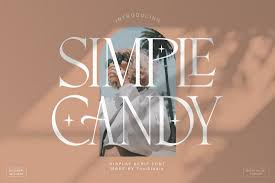
Posters look better when you understand font design and how letters work together. Text is not only for reading. It also shows style and feeling. When you learn simple font design, your posters look clear and easy to understand. Good text helps people notice your message quickly.
Many people think posters are only about images. But words are very important too. The shape and size of letters guide the eyes. Clear text makes reading simple and fast. Good font design helps posters look neat, clean, and professional.
Practice helps you learn faster. Look at posters around you every day. Notice which text is easy to read and which is not. Small details like spacing and size matter a lot. Over time, you will understand what works best.
Using good fonts also makes work easier. Many designers use trusted sources for quality styles. Companies like typetype offer many modern and clean fonts. Choosing good fonts helps your poster look better without extra effort.
Basic Rules of Font Design for Posters
A poster should share its message quickly. People do not spend much time looking. That is why text must be clear and simple. In font design, size and spacing help people read faster. Balanced text makes the message easy to understand.
Letter shapes are also important. Simple letters are easier to read from far away. Very fancy letters may look nice but can confuse people. Designers try to keep text both beautiful and clear.
Spacing is another key rule. Letters should not be too close or too far apart. Good spacing makes reading comfortable. Clean text keeps attention on the message.
How Font Design Changes Poster Feeling
Different text styles create different feelings. Bold letters feel strong. Thin letters feel soft. Round letters feel friendly. Sharp letters feel modern. Good font design helps match the mood of the message.
Color also changes feeling. Bright colors feel exciting. Dark colors feel serious. Light colors feel calm. When color and text style match, the poster works better.
Designers often test many styles before choosing one. Small changes can create a new look. Testing helps find the best style.
Common Styles in Font Design
Some styles are used more often because they are easy to read. Sans-serif fonts look clean and modern. Script fonts look personal and creative. Decorative fonts catch attention but should be used less.
Mixing two font styles can look nice. But too many styles make posters messy. Most designers use only two or three fonts. Simple choices create better balance.
The style should match the message. Serious topics need simple text. Fun topics can use playful text. Matching style and message makes posters stronger.
Choosing the Right Text Size
Text size shows what is most important. Big text grabs attention first. Medium text supports the main idea. Small text gives extra details.
Designers test size by looking from far away. If text is easy to see, the size is good. Testing helps make sure people can read clearly.
Using Spacing for Easy Reading
Spacing gives letters space to breathe. Crowded letters are hard to read. Too much space breaks the flow. Balanced spacing makes reading smooth.
Space between lines also matters. Good line spacing helps eyes move easily. Clean spacing makes posters look neat.
Creating Strong Contrast
Contrast helps text stand out. Dark text on a light background is easy to read. Large text next to small text shows importance. Bold text highlights key ideas.
Without contrast, posters look dull. Good contrast guides the reader’s attention.
Keeping Alignment Clean
Alignment keeps design organized. Left alignment is easy to read. Center alignment feels balanced. Right alignment adds style when used carefully.
Good alignment makes posters look clean and professional.
Keeping Design Simple
Simple posters are easier to understand. Too many effects confuse people. Clean layouts keep focus on the message.
Less decoration often looks better. Simple design makes reading easier.
Quick Helpful Tips
These simple tips improve poster design:
- Use only a few font styles
- Check text from far away
- Keep strong color contrast
Small steps create big improvement.
Practice Often
Practice helps you improve quickly. Try making small poster designs again and again. Each design teaches something new.
Test different styles and layouts. Practice builds confidence and skill.
Learn from Other Posters
Look at posters in shops, schools, and online. Notice text size and spacing. See how designers guide the eyes.
Learning from real examples helps you grow faster.
Balance Creativity and Clarity
Creative ideas make posters interesting. But text must always be easy to read. If people cannot read it, the design fails.
Good font design balances style and clarity. The goal is to look good and stay readable.
Posters become better when you understand simple font design rules. Clear text helps people read fast and understand easily. Small choices like size, spacing, and style make a big difference. With practice, anyone can create clean and attractive posters that share messages clearly.